Microcontroller Programming
Program an Arduino board to do something. Include code snippets in your documentation. Bring your circuit to class Tuesday and be ready to do a brief live demo.

For this week's assignment, I wanted to make a game of sorts controlled by the microcontroller and utilizig the LED's. Eventually, I settled on making a memory game with a simple array of buttons and LED's. I wanted this project to be more interactive, and a game was the perfect way to fulfil that.
I used an online arduino tutorial to build out most of the functional code and the inpsiration for the project. You can find the project here: project website
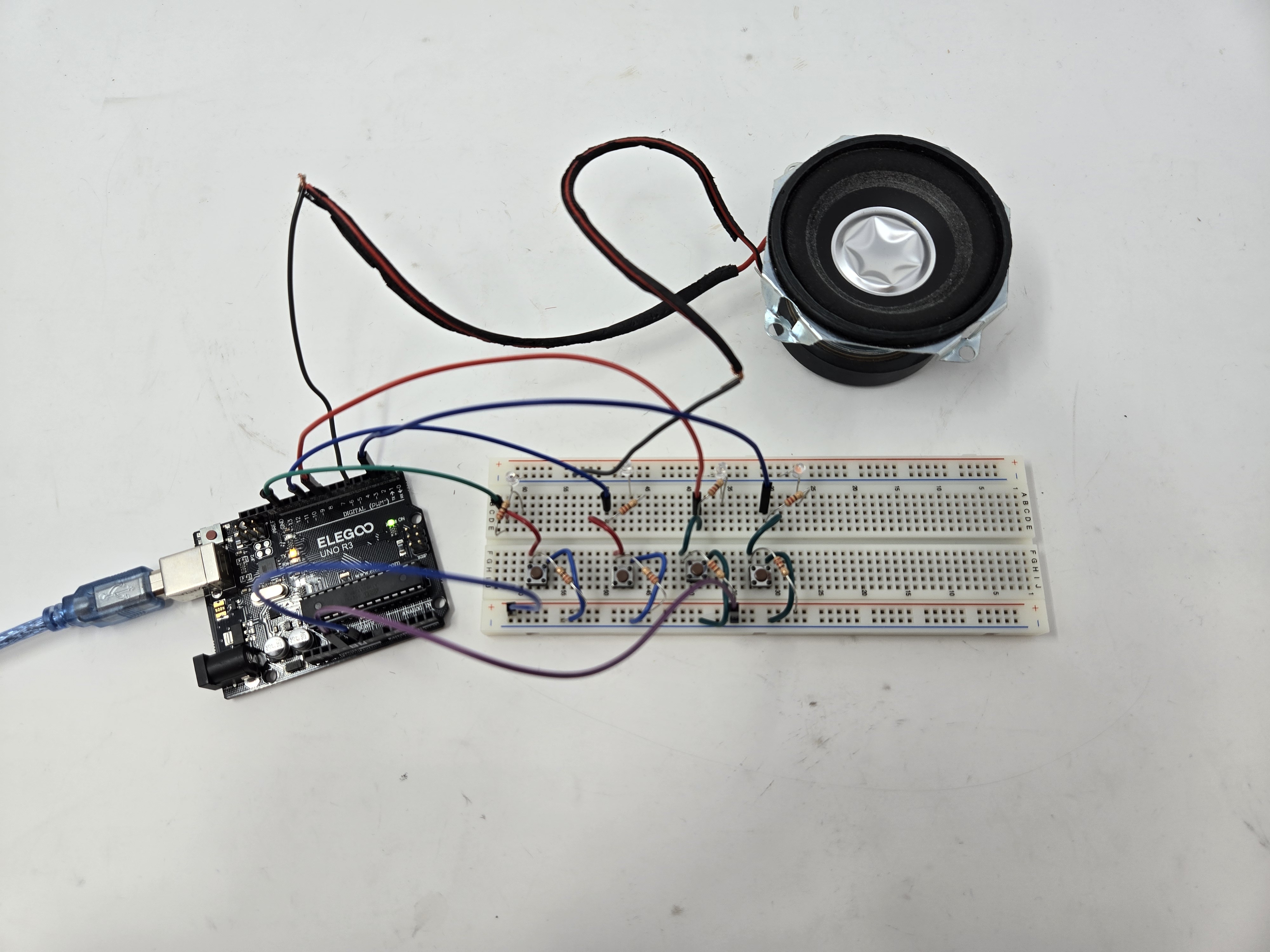
Final wiring! Could definitely be cleaner but works well for a prototype.
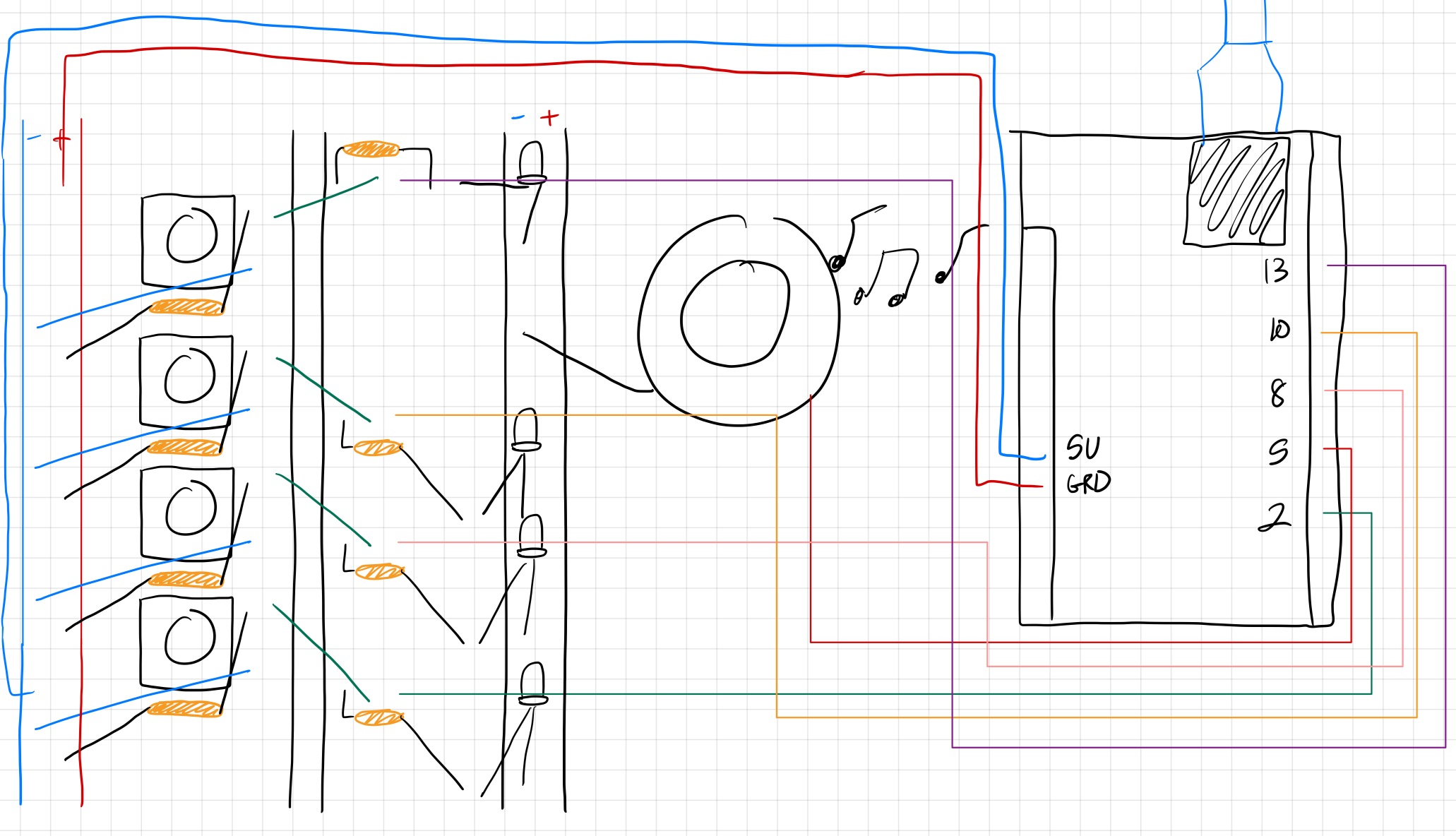
Each button is connected to a resistor, which is then in series with the LED that is plugged into the Arduino controller with the appropriate digital controller pins and to the ground + power. The assembly is identical down the line, with the exception of the speaker, which required me to rearrange the top button-resistor-LED assembly to accomodate it in the breadboard.
Below is also the wiring diagram (draw on my iPad very hastily at midnight, so I apologize for the lack of artistry. Hopefully still gets the point across).
Let's now see it in action!
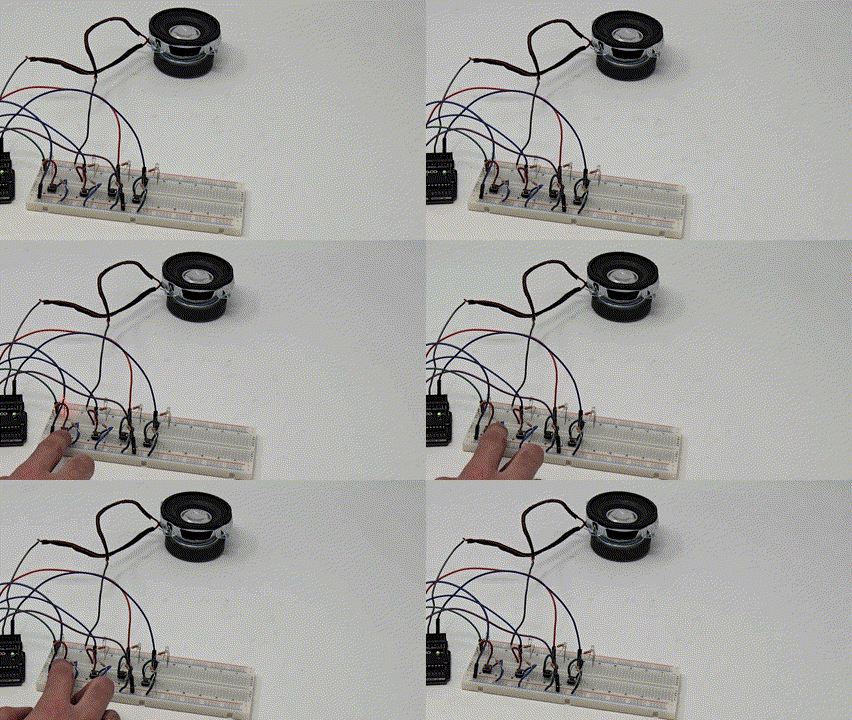
The game signals the start by blinking all the lights 5 times. The player then 4 seconds after a sequence is shown to input the pattern.
Overall I had a lot of fun playing the game! Simon is super simple but surprisingly addictive. If you fail the game (either by inputting the incorrect pattern or taking too long), the lights will flash and beep at you to both let you know and shame you (not really). The gif doesn't have sound, but trust me that the beeping is very annoying.
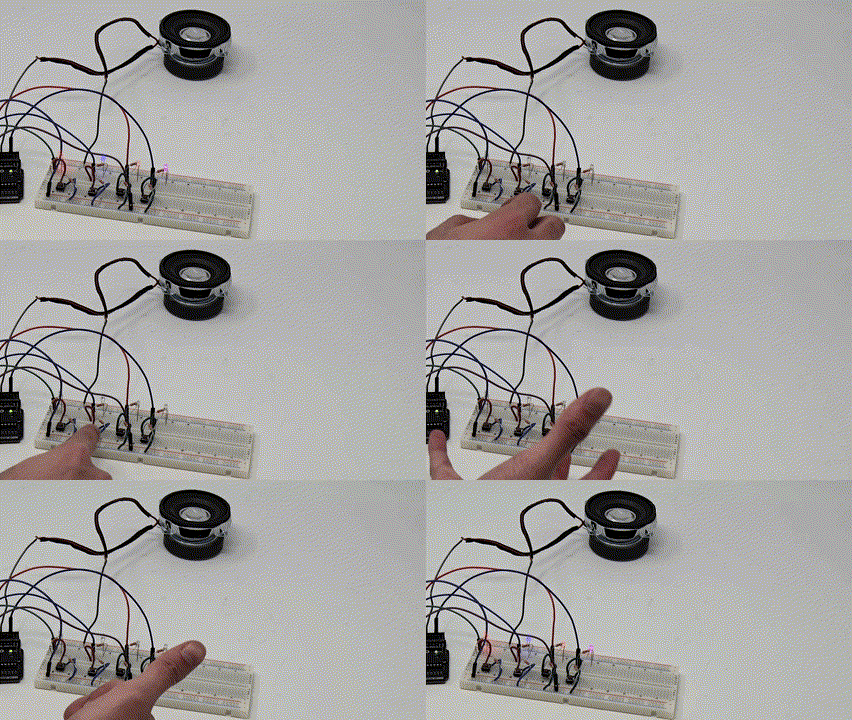
After you fail, the lights will blink in the correct sequence.
 #define PLAYER_WAIT_TIME 4000 // The time allowed between button presses - 4s
 byte sequence[100];      // Storage for the light sequence
 byte curLen = 0;       // Current length of the sequence
 byte inputCount = 0;     // The number of times that the player has pressed a (correct) button in a given turn
 byte lastInput = 0;      // Last input from the player
 byte expRd = 0;        // The LED that's suppose to be lit by the player
 bool btnDwn = false;     // Used to check if a button is pressed
 bool wait = false;      // Is the program waiting for the user to press a button
 bool resetFlag = false;    // Used to indicate to the program that once the player lost
 byte soundPin = 5;      // Speaker output
 byte noPins = 4;       // Number of buttons/LEDs (While working on this, I was using only 2 LEDs)
                // You could make the game harder by adding an additional LED/button/resistors combination.
 byte pins[] = {2, 13, 10, 8}; // Button input pins and LED ouput pins - change these vaules if you wwant to connect yourbuttons to other pins
                // The number of elements must match noPins below
 long inputTime = 0;      // Timer variable for the delay between user inputs
 void setup() {
  delay(3000);        // This is to give me time to breathe after connection the arduino - can be removed if you want
  Serial.begin(9600);     // Start Serial monitor. This can be removed too as long as you remove all references to Serial below
  Reset();
 }
 ///
 /// Sets all the pins as either INPUT or OUTPUT based on the value of 'dir'
 ///
 void setPinDirection(byte dir){
  for(byte i = 0; i < noPins; i++){
   pinMode(pins[i], dir);
  }
 }
 //send the same value to all the LED pins
 void writeAllPins(byte val){
  for(byte i = 0; i < noPins; i++){
   digitalWrite(pins[i], val);
  }
 }
 //Makes a (very annoying) beep sound
 void beep(byte freq){
  analogWrite(soundPin, 2);
  delay(freq);
  analogWrite(soundPin, 0);
  delay(freq);
 }
 ///
 /// Flashes all the LEDs together
 /// freq is the blink speed - small number -> fast | big number -> slow
 ///
 void flash(short freq){
  setPinDirection(OUTPUT); /// We're activating the LEDS now
  for(int i = 0; i < 5; i++){
   writeAllPins(HIGH);
   beep(50);
   delay(freq);
   writeAllPins(LOW);
   delay(freq);
  }
 }
 ///
 ///This function resets all the game variables to their default values
 ///
 void Reset(){
  flash(500);
  curLen = 0;
  inputCount = 0;
  lastInput = 0;
  expRd = 0;
  btnDwn = false;
  wait = false;
  resetFlag = false;
 }
 ///
 /// User lost
 ///
 void Lose(){
  flash(50);
 }
 ///
 /// The arduino shows the user what must be memorized
 /// Also called after losing to show you what you last sequence was
 ///
 void playSequence(){
  //Loop through the stored sequence and light the appropriate LEDs in turn
  for(int i = 0; i < curLen; i++){
    Serial.print("Seq: ");
    Serial.print(i);
    Serial.print("Pin: ");
    Serial.println(sequence[i]);
    digitalWrite(sequence[i], HIGH);
    delay(500);
    digitalWrite(sequence[i], LOW);
    delay(250);
   }
 }
 ///
 /// The events that occur upon a loss
 ///
 void DoLoseProcess(){
  Lose();       // Flash all the LEDS quickly (see Lose function)
  delay(1000);
  playSequence();   // Shows the user the last sequence - So you can count remember your best score - Mine's 22 by the way 🙂
  delay(1000);
  Reset();      // Reset everything for a new game
 }
 ///
 /// Where the magic happens
 ///
 void loop() {
  if(!wait){
               //****************//
               // Arduino's turn //
               //****************//
   setPinDirection(OUTPUT);           // We're using the LEDs
   randomSeed(analogRead(A0));          // https://www.arduino.cc/en/Reference/RandomSeed
   sequence[curLen] = pins[random(0,noPins)];  // Put a new random value in the next position in the sequence - https://www.arduino.cc/en/Reference/random
   curLen++;                   // Set the new Current length of the sequence
   playSequence();                // Show the sequence to the player
   beep(50);                   // Make a beep for the player to be aware
   wait = true;                 // Set Wait to true as it's now going to be the turn of the player
   inputTime = millis();             // Store the time to measure the player's response time
  }else{
               //***************//
               // Player's turn //
               //***************//
   setPinDirection(INPUT);            // We're using the buttons
   if(millis() - inputTime > PLAYER_WAIT_TIME){ // If the player takes more than the allowed time,
    DoLoseProcess();              // All is lost 🙁
    return;
   }
   if(!btnDwn){                 //
    expRd = sequence[inputCount];        // Find the value we expect from the player
    Serial.print("Expected: ");         // Serial Monitor Output - Should be removed if you removed the Serial.begin above
    Serial.println(expRd);           // Serial Monitor Output - Should be removed if you removed the Serial.begin above
    for(int i = 0; i < noPins; i++){      // Loop through the all the pins
     if(pins[i]==expRd)
      continue;                // Ignore the correct pin
     if(digitalRead(pins[i]) == HIGH){     // Is the buttong pressed
      lastInput = pins[i];
      resetFlag = true;            // Set the resetFlag - this means you lost
      btnDwn = true;             // This will prevent the program from doing the same thing over and over again
      Serial.print("Read: ");         // Serial Monitor Output - Should be removed if you removed the Serial.begin above
      Serial.println(lastInput);       // Serial Monitor Output - Should be removed if you removed the Serial.begin above
     }
    }
   }
   if(digitalRead(expRd) == 1 && !btnDwn)    // The player pressed the right button
   {
    inputTime = millis();            //
    lastInput = expRd;
    inputCount++;                // The user pressed a (correct) button again
    btnDwn = true;               // This will prevent the program from doing the same thing over and over again
    Serial.print("Read: ");           // Serial Monitor Output - Should be removed if you removed the Serial.begin above
    Serial.println(lastInput);         // Serial Monitor Output - Should be removed if you removed the Serial.begin above
   }else{
    if(btnDwn && digitalRead(lastInput) == LOW){ // Check if the player released the button
     btnDwn = false;
     delay(20);
     if(resetFlag){               // If this was set to true up above, you lost
      DoLoseProcess();             // So we do the losing sequence of events
     }
     else{
      if(inputCount == curLen){         // Has the player finished repeating the sequence
       wait = false;              // If so, this will make the next turn the program's turn
       inputCount = 0;             // Reset the number of times that the player has pressed a button
       delay(1500);
      }
     }
    }
   }
  }
 }

}
The code was pretty well labelled and straightforward. I modified the reaction time at the beginning because I found it hard to press the buttons on time.